/* =============================================================================================
SYCOPHANT — PRESS. The compositing half of the picture treatment.
=============================================================================================
The halftone itself is BAKED, not filtered live: content/sycophant/imagery/sycophant_press.py.
Reason, in one line — a real halftone needs dot AREA to track tone, CSS can only fake that with
a fixed dot grid, and the SVG feImage/feTile route that does it properly renders differently
(or not at all) across Safari, Chrome and headless chromium. The picture set is a fixed curated
list, so we bake once and the browser only has to put ink on paper, which every engine gets right.
This file therefore does four things:
1. holds the paper,
2. composites the baked plate onto it so the picture's white IS the page (`multiply`),
3. draws the press furniture — keyline, misregistration, rule, mono caption, credit,
4. carries a documented LIVE fallback for the rare un-baked image.
⛔ NEVER THEMED. Sycophant's pictures follow the masthead's law (SPEC_sycophant_build §1): ink
on paper, no repaint with worlds or the cosmetic --accent. There is no `[data-theme]` rule in
this file and there must never be one. The paper may age; the ink does not change colour.
The recorded seam against Theme Law §5 covers pictures as well as the mark.
⛔ TOKENS MIRROR content/sycophant/imagery/press-treatment.json. If you change ink or paper,
change it there FIRST, re-bake, then update the five values below. They are duplicated because
CSS cannot read JSON; they are not independent.
============================================================================================= */
:root {
--syc-ink: #14110C; /* press-treatment.json .ink */
--syc-paper: #ECE6D8; /* press-treatment.json .paper */
--syc-paper-2: #E7E0CF; /* press-treatment.json .paper_2 */
--syc-stamp: #C2410C; /* registration mark ONLY — never tints a picture */
--syc-hair: rgba(20, 17, 12, .28);
--syc-rule: rgba(20, 17, 12, .62);
/* the press's own type roles. Display serif is the paper's; the caption is machine type,
because a caption in a trade paper is set by the production desk, not the writer. */
--syc-cap-face: "JetBrains Mono", ui-monospace, SFMono-Regular, Menlo, monospace;
--syc-cap-size: clamp(10px, 1.6vw, 11.5px);
--syc-cap-track: .12em;
}
/* ---------------------------------------------------------------------------- the ground
Anything holding a picture must sit on paper, or `multiply` has nothing to multiply into
and the plate's own paper shows as a pale grey rectangle — the tell that gives away a
pasted-in image. */
.syc-paper { background-color: var(--syc-paper); color: var(--syc-ink); }
/* ---------------------------------------------------------------------------- the cut
A "cut" is a picture as printed: plate, keyline, rule, caption, credit. One object.
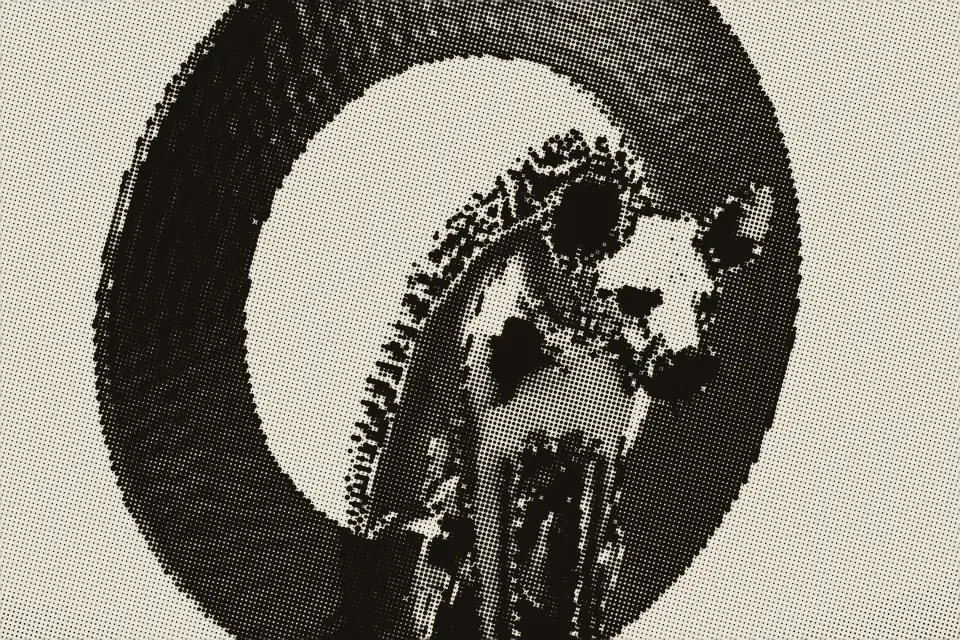
The WahWah, waiting. the desk
*/
.syc-cut {
margin: 0;
display: grid;
gap: 6px;
/* ⛔ NO BACKGROUND HERE. This figure used to paint an opaque `var(--syc-paper)` slab, which is
the one thing PRESS_TREATMENT.md §5 forbids by name: "Paper tooth is NOT in the plate. It is
on the page... Grain that stops at a picture's edge is the exact tell that gives away a
pasted-in image." A flat swatch under the plate stopped the sheet's tooth dead at the figure's
edge and resumed it below — visible at 1:1 around every caption. The page is already paper;
the cut must let it through and multiply into it. Caught in the design critique, 2026-08-16. */
/* radius is near-square: the SST is brutalist, and printed matter has corners */
border-radius: 1px;
}
.syc-cut > img {
display: block;
width: 100%;
height: auto;
border-radius: inherit;
/* THE MOVE. The baked plate's lightest tone is the paper colour, so multiplying it into the
page makes the two the same substance. No seam, no rectangle, no "photo on a website". */
mix-blend-mode: multiply;
/* the keyline is offset by a fraction of a pixel on one axis only — the plate did not quite
line up with the frame. Two even borders would read as a UI card; this reads as printing. */
box-shadow:
inset 0 0 0 1px var(--syc-hair),
0.5px 0 0 0 rgba(20, 17, 12, .10);
/* colour management: the plate is already monochrome. This is belt-and-braces against a
source that slipped through un-baked, and costs nothing on one that did not. */
filter: grayscale(1);
}
/* ⛔ `isolation: isolate` REMOVED with the background above, and the two had to go together.
Isolating the figure confines the multiply to the figure's own backdrop — which, once that
backdrop is transparent, is nothing at all, and a plate multiplied into nothing is just the
plate. The blend is SUPPOSED to reach the sheet: that is the entire move, and the sheet is what
carries the paper tooth. The original worry — that the multiply "escapes upward and darkens
whatever the paper is sitting on" — does not arise here, because the reader always sits on its
own opaque paper (`#pn-syco` background-color), which is precisely the layer we want it to
reach. Verified by render: tooth continuous across the plate edge, no darkening beyond it. */
/* ---------------------------------------------------------------------------- the caption
Mono, uppercase-tracked, on a hairline. The credit is bold and sits at the end of the line,
not on its own row — a caption is one line of production type, not a card footer. */
.syc-cut > figcaption {
font: 400 var(--syc-cap-size) / 1.45 var(--syc-cap-face);
letter-spacing: var(--syc-cap-track);
color: var(--syc-ink);
padding-top: 5px;
border-top: 1px solid var(--syc-rule);
text-wrap: pretty;
}
.syc-cut > figcaption b {
font-weight: 700;
text-transform: uppercase;
letter-spacing: .16em;
opacity: .72;
}
.syc-cut > figcaption b::before { content: " · "; opacity: .5; font-weight: 400; }
/* ---------------------------------------------------------------------------- the plates */
/* THE LEAD — one per edition, and only when the lead is a kind that carries a picture.
It is allowed to break the column gutter; that asymmetry is the front page's whole job. */
.syc-cut--lead { margin-block: 4px 14px; }
.syc-cut--lead > img { aspect-ratio: 3 / 2; object-fit: cover; }
/* THE COLUMN CUT — used sparingly, half-measure width, text sets around it. */
.syc-cut--column > img { aspect-ratio: 3 / 2; object-fit: cover; }
/* A PORTRAIT — people. Taller than it is wide, the way an appointment picture always is. */
.syc-cut--portrait > img { aspect-ratio: 4 / 5; object-fit: cover; }
/* THE PIP — the appointments thumbnail and the lock-screen notification mark. No caption:
at this size a caption is noise, and the hed is right beside it. */
.syc-cut--pip {
inline-size: 40px;
flex: 0 0 40px;
}
.syc-cut--pip > img { aspect-ratio: 1; object-fit: cover; }
.syc-cut--pip > figcaption { display: none; }
/* the appointments row: pip, then the entry. The picture is furniture, so it does not get a cell
of its own in a grid — it sits in the text flow at the size of two lines of it. */
.syc-appointment { display: flex; gap: 10px; align-items: flex-start; }
/* ---------------------------------------------------------------------------- a quiet week
When there is no picture — most items, and some whole editions — the paper says so with a
rule, not with a grey placeholder box. A placeholder is the lie; the rule is the truth. */
.syc-noplate {
border-top: 1px solid var(--syc-rule);
padding-top: 6px;
}
/* ---------------------------------------------------------------------------- ink settles
The nameplate prints on first open (SPEC §2). A picture arrives the same way: the plate takes
the ink over ~360ms. Opacity + a hair of blur only — no transform, so nothing reflows. */
@keyframes syc-ink-settle {
from { opacity: 0; filter: grayscale(1) blur(2px); }
to { opacity: 1; filter: grayscale(1) blur(0); }
}
.syc-cut[data-syc-print] > img {
animation: syc-ink-settle 360ms cubic-bezier(.2, .8, .3, 1) both;
}
@media (prefers-reduced-motion: reduce) {
.syc-cut[data-syc-print] > img { animation: none; }
}
/* ---------------------------------------------------------------------------- print + a11y */
/* Actual paper. Drop the blend so a printer does not multiply the plate into nothing, and let
the browser use the plate's own tone. */
@media print {
.syc-cut > img { mix-blend-mode: normal; box-shadow: none; }
.syc-cut { break-inside: avoid; }
}
/* Forced colours: blend modes are ignored and the plate would float on the forced background.
Give it back a real border so the picture still reads as a bounded object. */
@media (forced-colors: active) {
.syc-cut > img { mix-blend-mode: normal; border: 1px solid CanvasText; box-shadow: none; }
.syc-cut > figcaption { border-top-color: CanvasText; }
}
/* ============================================================================================
THE LIVE FALLBACK — for an image that has NOT been through the baker.
============================================================================================
Use `.syc-cut--live` only when a picture genuinely cannot be baked ahead of time. It is an
approximation and it is honest about what it loses: the dot grid here is FIXED-SIZE, so it
does not open and close with tone the way a real screen does. Midtones read close; deep
shadows go flat and highlights lose their sparkle. It is a stand-in, not the treatment.
If you find yourself reaching for this on a library asset, bake it instead:
python3 content/sycophant/imagery/sycophant_press.py web/assets/sycophant//.webp --plate column
*/
.syc-cut--live { position: relative; }
.syc-cut--live > img {
filter:
grayscale(1)
contrast(1.48)
brightness(1.06)
/* the shoulder: pull the top end down so highlights blow to paper rather than to white */
saturate(0);
mix-blend-mode: multiply;
}
.syc-cut--live::after {
content: "";
position: absolute;
inset: 0;
pointer-events: none;
border-radius: inherit;
/* the screen. Dots of paper punched through at the press angle; where the picture is dark the
ink survives between them, where it is light the paper wins outright. */
background-image: radial-gradient(
circle at 50% 50%,
var(--syc-paper) 0 32%,
transparent 33% 100%);
background-size: 3.4px 3.4px;
background-position: 0 0;
transform: rotate(15deg) scale(1.35); /* the press angle, oversized so the rotation covers */
transform-origin: center;
mix-blend-mode: screen;
opacity: .82;
}
/* the live fallback cannot do misregistration honestly either — a second offset impression would
need the image twice. One weak ink shadow at the frame is as far as it goes. */
.syc-cut--live > img { box-shadow: inset 0 0 0 1px var(--syc-hair), 0.5px 0 0 0 rgba(20,17,12,.10); }